Zephyr
 AI
AI
PID on a Microcontroller: Making Timing Visible in a 3D Game
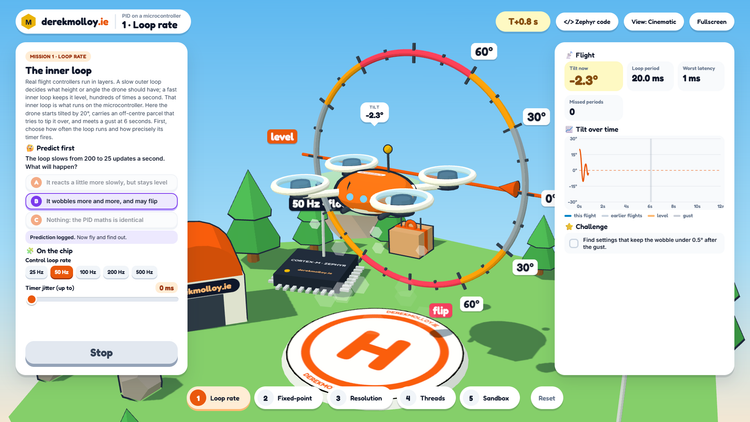
A follow-on to PID Flight School. The drone's roll loop runs on a simulated Cortex-M under Zephyr, so students can see what loop rate, fixed-point maths, sensor resolution and thread priorities do to a controller.
 Derek Molloy
·
Oct 27, 2026
·
2 min read
Derek Molloy
·
Oct 27, 2026
·
2 min read
 AI
AI
Giving Claude Code a Logic Analyser: A Minimal Bench Harness for Zephyr on the nRF52840
An AI coding agent can write, build and flash firmware, but it cannot see the LED. This article builds a small Claude Code harness for Zephyr on the nRF52840 DK that closes the loop with real measurements from an Analog Discovery, and shows what it caught that reading the code never would.
Derek Molloy
·
Oct 26, 2026
·
45 min read
 Zephyr
Zephyr from Zero on the ST Nucleo-F401RE: Watching the Scheduler Work
A complete beginner's path onto the Zephyr RTOS using the low-cost ST Nucleo-F401RE, from installing the toolchain to a four-thread demo whose scheduling you can watch on a logic analyser.
Derek Molloy
·
Aug 31, 2026
·
62 min read
 Zephyr
The Zephyr Devicetree: An Interactive Demo
A gentle, but complete introduction to the Zephyr devicetree, taught through the one thing every beginner gets wrong - which way round an LED is wired. Built from nothing on a low-cost Seeed XIAO nRF52840, with three onboard LEDs, one external LED wired deliberately backwards, and a button.
Derek Molloy
·
Aug 07, 2026
·
69 min read
 Arduino
Under the Hood of the Arduino UNO Q: Vanilla Zephyr on the Cortex-M33
Part three of the UNO Q series removes the App Lab, Arduino core, sketch loader and just uses west, a devicetree, and our own Zephyr firmware on the board's STM32U585, driving the 13x8 LED matrix through Zephyr's display API with grayscale functionality.
Derek Molloy
·
Jul 30, 2026
·
50 min read
 Embedded
How Charlieplexing works: an interactive demo
Eleven pins, 104 LEDs, and a scan you can slow down until the trick falls apart. An interactive walkthrough of the Arduino UNO Q's charlieplexed matrix, built from the board's own devicetree.
Derek Molloy
·
Jul 29, 2026
·
28 min read
 Arduino
A Real Dual-Brain Application on the Arduino UNO Q: an AI Brick, a Camera, and a Presence Lamp
Part two of the UNO Q series puts the board's dual-brain design to real work - a vision AI Brick on the Linux side detects a person through a camera, and the microcontroller side turns that into a smoothly breathing lamp that never stutters, no matter how hard the AI is working.
Derek Molloy
·
Jul 22, 2026
·
19 min read
 Arduino
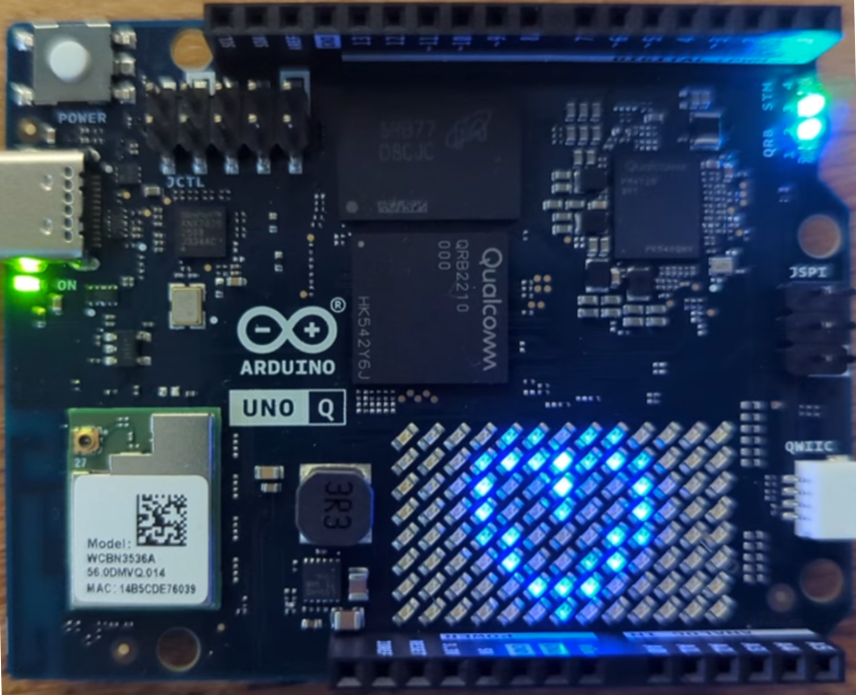
Getting to Know the Arduino UNO Q: Two Brains, One Board, and Zephyr Underneath
The Arduino UNO Q pairs a quad-core Linux processor with a real-time STM32 microcontroller on one UNO-shaped board, and quietly runs Zephyr where the classic Arduino runtime used to be. This guide takes an engineer's look at the architecture.
Derek Molloy
·
Jul 21, 2026
·
30 min read
 Zephyr
The Zephyr Web Server, Now in C++: Classes for Embedded Hardware
A short follow-on from the Zephyr Thread web server guide, rebuilding the same project in C++ on the Seeed XIAO nRF52840, and adding the RGB LED and the on-die temperature sensor to show why classes suit Zephyr hardware so well.
Derek Molloy
·
Jul 06, 2026
·
22 min read
 Zephyr
A Zephyr Web Server on the Seeed XIAO nRF52840, over Thread (C/C++)
In an earlier guide we built a tiny web server on an ESP32-C3 in async Rust, using Embassy. A browser could connect over
Derek Molloy
·
Jul 03, 2026
·
34 min read